Home / Products / Photo Resizer
FastStone Photo Resizer
An image converter and renaming tool for converting, renaming, resizing, cropping, rotating, changing color depth, and adding text or watermarks in a quick and easy batch workflow.
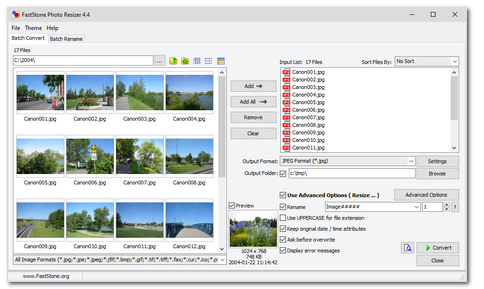
FastStone Photo Resizer is an image converter and renaming tool that intends to enable users to convert, rename, resize, crop, rotate, change color depth, add text and watermarks to images in a quick and easy batch mode.
Drag and drop mouse operation is well supported. It is designed for efficient bulk processing while keeping a straightforward workflow for everyday conversion and renaming tasks.
Features
- Convert and Rename images in batch mode
- Support common image formats including loading of JPEG, JPEG2000, PNG, GIF, BMP, TIFF, PCX, TGA, WMF, EMF, ICO, CUR, PPM, HEIC, WEBP and saving to JPEG, JPEG2000, PNG, GIF, BMP, TIFF
- Resize, crop, change color depth, apply color effects, add text, watermark and border effects
- Rename images with sequential number
- Search and replace texts in the file names
- Preview conversion and renaming
- Support folder/non-folder structure
- Load and save options
- Support multithreading, i.e. process multiple images simultaneously for better performance
- And much more...
Note: HEIC is supported by Windows Imaging Component (WIC) codecs on Windows 10 / 11.